In the fast-paced world of algorithmic trading and fintech development, market sentiment is often as powerful as technical indicators. While retail traders might rely on news headlines, institutional investors—the "Smart Money"—rely on consensus data.
Analyst ratings represent the aggregate opinion of major financial institutions (like Goldman Sachs, Morgan Stanley, and JPMorgan). When a significant number of analysts upgrade a stock from "Hold" to "Buy," or when they raise their price targets above the current trading price, it creates a gravitational pull on the stock’s value.
For developers, manually scraping news sites for this data is inefficient and unreliable. To build robust sentiment analysis tools, you need a programmatic way to ingest this data directly into your Python scripts or dashboards.
This guide explains how to pull institutional consensus, price targets, and analyst ratings using the Mboum Finance API.
Get your free API key here:
https://mboum.com/pages/api
The Analyst API Endpoint
To access deep insights into Wall Street sentiment, we will utilize the Price Targets endpoint. This endpoint is powerful because it aggregates data from various analysts to provide a clear Consensus Overview, saving you the trouble of calculating averages yourself.
Documentation:
https://docs.mboum.com/#stocks-options-GETapi-v2-markets-stock-price-targets
Endpoint
GET /v2/markets/stock/price-targets
This endpoint returns a JSON object containing two critical datasets:
-
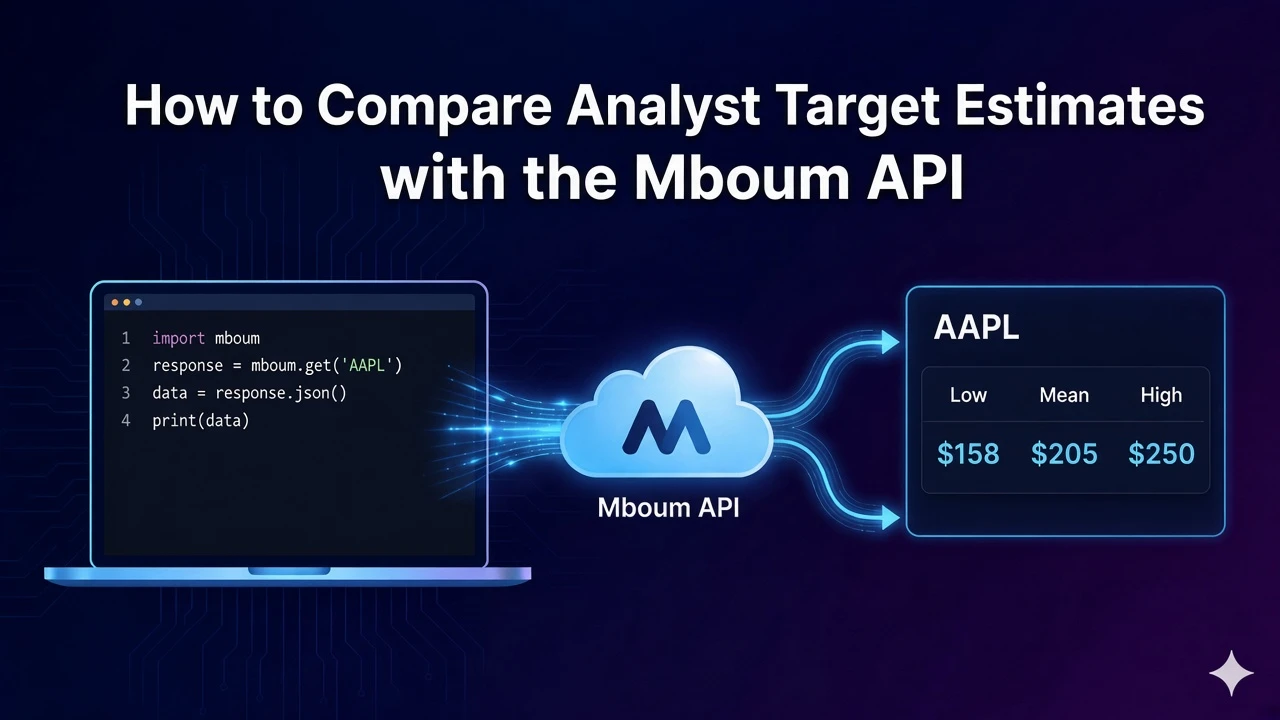
Consensus Overview – A snapshot of the high, low, and mean price targets, along with the total count of Buy, Sell, and Hold ratings.
-
Historical Consensus – A time-series look at how these ratings have changed over time, allowing you to spot trends (e.g., is the analyst sentiment cooling off or heating up?).
Python Example: Fetching Ratings
Let’s write a script to retrieve the analyst consensus for NVIDIA (NVDA). We will use the standard Python requests library.
In this example, we are interested in two things:
-
The Price Target – Where do analysts think the stock price will be in 12 months?
-
The Consensus Breakdown – How many analysts are saying "Buy" versus "Sell"?
import requests
import json

# Configuration
api_key = "YOUR_API_KEY" # Replace with your actual key
symbol = "NVDA"
url = "https://api.mboum.com/v2/markets/stock/price-targets"

# Set up parameters
params = {
    "ticker": symbol
}

headers = {
    "Authorization": f"Bearer {api_key}"
}

try:
    # Make the API request
    response = requests.get(url, headers=headers, params=params)
    response.raise_for_status() # Raise error for bad status codes

    data = response.json()

    # Extracting the Consensus Overview from the 'body'
    if "body" in data and "consensusOverview" in data["body"]:
        overview = data["body"]["consensusOverview"]

        target_price = overview.get("priceTarget")
        rating = overview.get("consensus") # e.g., "Buy"
        buy_count = overview.get("buy")
        hold_count = overview.get("hold")
        sell_count = overview.get("sell")

        print(f"--- Analyst Report for {symbol} ---")
        print(f"Consensus Rating: {rating}")
        print(f"Target Price (Mean): ${target_price}")
        print(f"Analyst Breakdown: {buy_count} Buys, {hold_count} Holds, {sell_count} Sells")

    else:
        print("No analyst data found for this ticker.")

except requests.exceptions.RequestException as e:
    print(f"Error fetching data: {e}")
Understanding the Analysis Response
When you make a request to the price-targets endpoint, the API returns a structured JSON response. Understanding the specific fields is crucial for integrating this data into your logic correctly.
Here is a breakdown of the key data points found in the consensusOverview object:
-
priceTarget – The mean (average) price target predicted by all analysts covering the stock. This is the primary benchmark used to calculate "upside potential."
-
lowPriceTarget – The most bearish prediction among the analysts. If the current stock price drops below this, it is often considered severely oversold.
-
highPriceTarget – The most bullish prediction. This represents the ceiling of what the most optimistic analysts expect.
-
buy – The integer count of analysts who have issued a "Buy" or "Strong Buy" recommendation. High numbers here indicate strong institutional confidence.
-
hold – The integer count of analysts recommending to keep the stock without adding new positions. A high "Hold" count often suggests uncertainty.
-
sell – The integer count of analysts recommending liquidation of the asset.
-
consensus – A string summary of the overall sentiment (e.g.,
"Buy","Hold"). This is useful for displaying simple badges on a UI.
Practical Use Cases
Accessing raw analyst data opens the door to sophisticated financial applications. Here are three ways developers are using this data:
1. Sentiment Scoring Algorithms
You can create a proprietary "Sentiment Score" by weighing the raw counts. For example, you might weigh a "Buy" as +1, a "Sell" as -1, and a "Hold" as 0. By tracking this score over time (using the historicalConsensus data provided in the same response), you can trigger alerts when a stock's sentiment shifts from negative to positive.
2. Price Gap (Upside) Analysis
By comparing the lastPrice (from the Quote endpoint) against the priceTarget (Mean Target) from this endpoint, you can calculate the Implied Upside.
Formula
((Target Price - Current Price) / Current Price) * 100
Application
Build a screener that only alerts you to stocks with a >20% implied upside based on analyst consensus.
3. Automated Research Reports
For investment firms serving clients, manually compiling PDF reports is tedious. By combining the price-targets endpoint with the ticker-summary and news endpoints, you can auto-generate comprehensive research PDFs that include the latest Wall Street targets alongside fundamental data.
Final Thoughts
Institutional data acts as a compass in the chaotic sea of the stock market. While price tells you what a stock is worth now, analyst ratings tell you what the heavy hitters think it should be worth in the future.
By integrating the Mboum Price Targets API, you move beyond simple price tracking and start building tools that understand market psychology and institutional consensus.
Start building with the API today:
https://mboum.com/pages/api