Algorithmic trading is the process of using computer programs to follow a defined set of instructions for placing a trade. These instructions are often based on timing, price, quantity, or a mathematical model. Unlike subjective manual trading, algorithmic trading allows for automated, disciplined execution based on hard data.
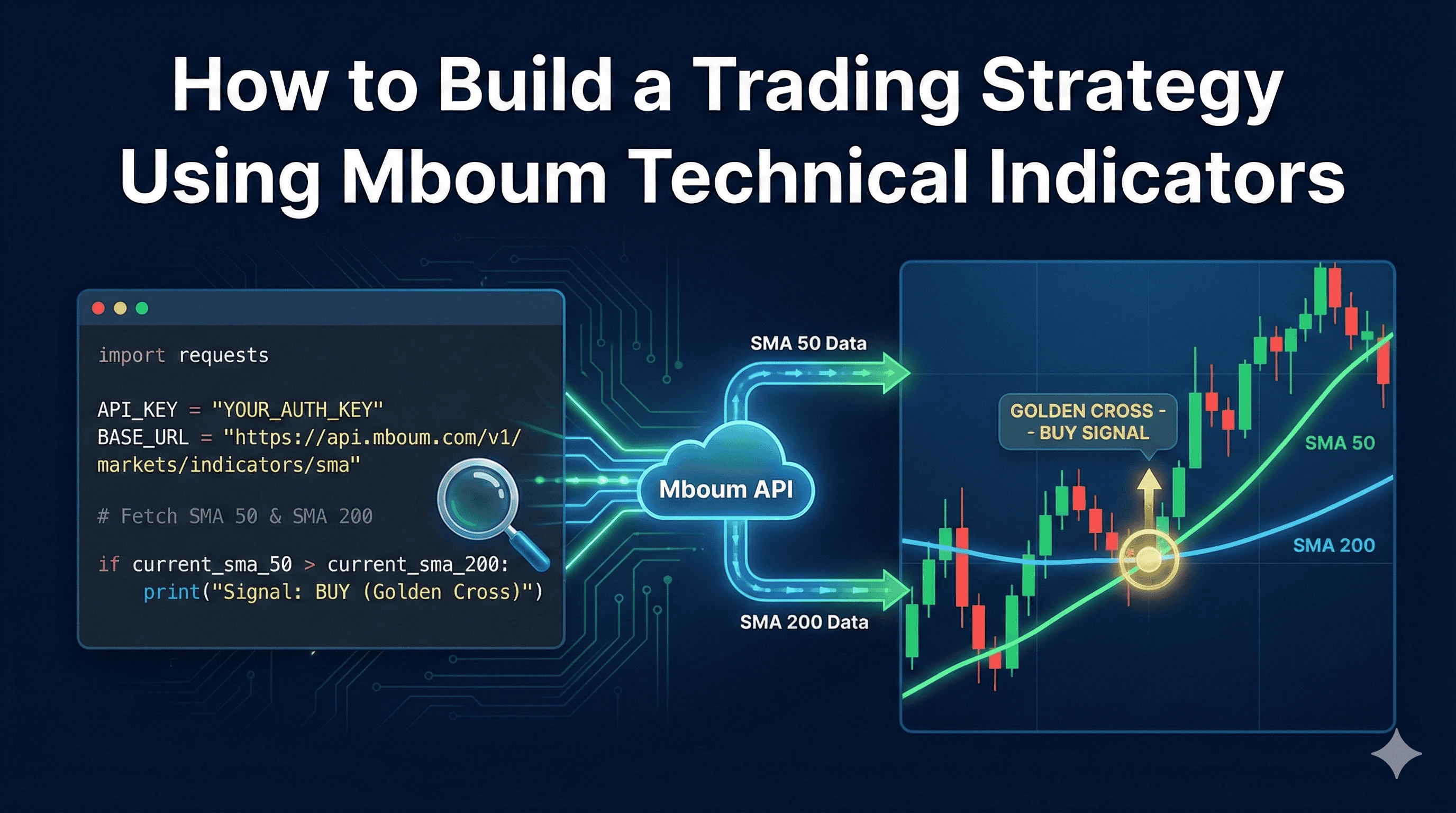
In this tutorial, we will build a classic "Golden Cross" trading strategy using Python. This strategy generates a buy signal when a short-term moving average crosses above a long-term moving average, indicating potential upward momentum. We will utilize Mboum's specialized technical indicator endpoints to retrieve the necessary data without calculating complex mathematics manually.
👉 To follow along and generate your own API key, visit: https://mboum.com/pages/api
The Data Source
To execute a Golden Cross strategy, we need to compare two specific data points:
-
50-day Simple Moving Average (SMA)
-
200-day Simple Moving Average (SMA)
We will use the Technical Indicator SMA endpoint. This endpoint calculates the simple moving average for a specific ticker over a defined time period and interval, returning the data ready for immediate analysis.
Endpoint
GET /v1/markets/indicators/sma
Documentation: https://docs.mboum.com#stocks-options-GETapi-v1-markets-indicators-sma
Key Parameters
-
ticker – The symbol of the asset (e.g., AAPL or BTC-USD)
-
interval – The time interval between data points (e.g.,
1dfor daily candles) -
time_period – The number of data points used to calculate the average (e.g.,
50or200) -
series_type – The price point to use, typically
close
Python Example: The Golden Cross Strategy
The following Python script fetches the 50-day and 200-day SMA values for Apple (AAPL). It compares the most recent values to determine if a bullish or bearish trend is forming.
import requests
import json

# Configuration
API_KEY = "YOUR_AUTH_KEY"
BASE_URL = "https://api.mboum.com/v1/markets/indicators/sma"
TICKER = "AAPL"

def get_sma_data(ticker, period, interval="1d"):
    """
    Fetches SMA data for a specific period (e.g., 50 or 200).
    """
    headers = {
        "Authorization": f"Bearer {API_KEY}"
    }
    params = {
        "ticker": ticker,
        "interval": interval,
        "series_type": "close",
        "time_period": str(period),
        "limit": "1" # We only need the latest value for the signal
    }

    response = requests.get(BASE_URL, headers=headers, params=params)

    if response.status_code == 200:
        return response.json()
    else:
        print(f"Error fetching SMA {period}: {response.status_code}")
        return None

def evaluate_strategy():
    # Fetch SMA 50 (Short-term trend)
    sma_50_response = get_sma_data(TICKER, 50)

    # Fetch SMA 200 (Long-term trend)
    sma_200_response = get_sma_data(TICKER, 200)

    if not sma_50_response or not sma_200_response:
        print("Failed to retrieve indicator data.")
        return

    # Extract the most recent values (assuming standard list response structure)
    # Note: Parse logic depends on exact JSON structure returned by the endpoint
    current_sma_50 = sma_50_response[-1]
    current_sma_200 = sma_200_response[-1]

    print(f"Analysis for {TICKER}:")
    print(f"SMA 50: {current_sma_50} | SMA 200: {current_sma_200}")

    # Logic Comparison
    if current_sma_50 > current_sma_200:
        print("Signal: BUY (Golden Cross Detected)")
    elif current_sma_50 < current_sma_200:
        print("Signal: SELL (Death Cross Detected)")
    else:
        print("Signal: HOLD (Neutral)")

if __name__ == "__main__":
    evaluate_strategy()
Understanding the Logic
The script above performs two distinct API calls to the /v1/markets/indicators/sma endpoint. By modifying the time_period parameter, we treat the API as a calculation engine. This reduces the load on your application, as you do not need to fetch historical candle data and perform the rolling average mathematics locally.
The limit parameter is set to 1 in this specific example because we are only interested in the execution signal at the current moment. However, if you were backtesting this strategy, you would remove the limit or set it to 50 or higher to retrieve historical indicator values.
Data Interpretation
-
Trend: Bullish
Condition: SMA 50 > SMA 200
Action: Buy -
Trend: Bearish
Condition: SMA 50 < SMA 200
Action: Sell
Reliable data latency is critical here. Using the 1d (daily) interval is standard for Golden Cross strategies, but for high-frequency trading, you might switch the interval to 5m or 15m to capture intraday momentum.
Practical Use Cases
This logic serves as the foundation for several sophisticated applications:
-
Paper Trading
Before risking capital, you can run this script daily against a portfolio of tickers (using a loop) to track theoretical performance. -
Alerting System
You can integrate this logic into a Discord bot or Slack webhook. When theifcondition triggers a "Buy" signal, the script pushes a notification to your phone. -
Screener Integration
Instead of checking one stock, you can iterate through a list of tickers obtained from the/v2/markets/screenerendpoint and identify only those currently in a Golden Cross state.
By leveraging Mboum's Technical Indicator endpoints, developers can abstract away the complexity of mathematical calculations and focus on strategy logic. Whether you are building a simple alerting bot or a complex automated trading system, accurate and easily accessible indicator data is the first step.
👉 Start building your strategy today: https://mboum.com/pages/api