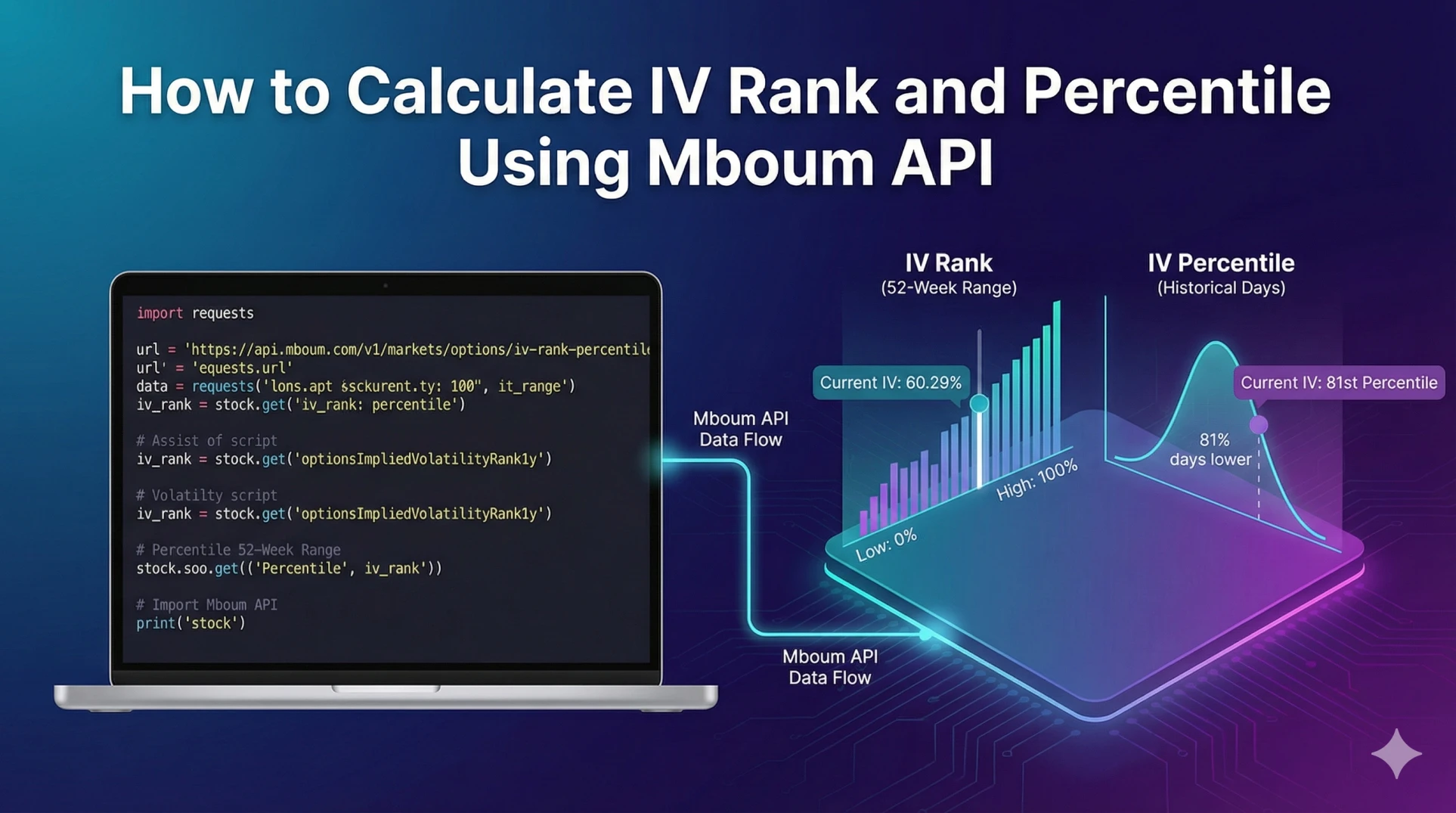
In options trading, raw Implied Volatility (IV) provides the annualized expected move of an underlying asset. However, raw IV alone lacks context. An IV of 40% might be historically low for a volatile stock like Tesla but historically high for a utility stock.
To make informed decisions—specifically for option selling strategies employed by "Theta Gang" traders—developers and analysts use IV Rank and IV Percentile. These metrics normalize volatility data, allowing you to determine if options are relatively expensive (good for selling) or cheap (good for buying) compared to the asset's past performance.
This guide explains how to retrieve volatility data using the Mboum API and how to interpret or calculate these metrics programmatically.
To get started with the API, obtain your key here:
https://mboum.com/pages/api
Understanding the Difference
Before writing code, it is essential to distinguish between the two metrics:
-
IV Rank – Measures where the current IV sits within the 52-week range. A rank of 100 means IV is at its yearly high; a rank of 0 means it is at its yearly low.
-
IV Percentile – Measures the percentage of trading days in the past year where the IV was lower than the current level.
The API Endpoints
To retrieve volatility data, you will primarily use the options endpoints. Mboum offers a specialized endpoint that provides pre-calculated IV Ranks and Percentiles for active stocks, which is highly efficient for building screeners.
IV Rank & Percentile Screener
This endpoint returns stocks, ETFs, and indices with the most option activity, including their ATM average IV Rank and Percentile.
Documentation:
https://docs.mboum.com/#stocks-options-GETapi-v1-markets-options-iv-rank-percentile
Options Chain (v3)
If you need data for a specific ticker that may not be in the "most active" list, the v3 options endpoint provides comprehensive chain data, including volatility metrics.
Documentation:
https://docs.mboum.com/#stocks-options-GETapi-v3-markets-options
The Calculation and Python Example
While Mboum provides pre-calculated fields like optionsImpliedVolatilityRank1y, understanding the underlying formula allows you to verify data or calculate custom timeframes (e.g., 6-month IV Rank) if you have historical data.
The formula for IV Rank is:
IV Rank = 100 * (Current IV - 52 Week Low IV) / (52 Week High IV - 52 Week Low IV)
The following Python script utilizes the /v1/markets/options/iv-rank-percentile endpoint to retrieve stocks with high option activity and displays their pre-calculated volatility metrics.
import requests
import json

# define the endpoint
url = "https://api.mboum.com/v1/markets/options/iv-rank-percentile"

# set parameters to filter by STOCKS and fetch the first page
querystring = {
    "type": "STOCKS",
    "page": "1"
}

# include your API key in the headers
headers = {
    "Authorization": "Bearer {YOUR_AUTH_KEY}"
}

try:
    response = requests.get(url, headers=headers, params=querystring)
    response.raise_for_status()
    data = response.json()

    # iterate through the results
    for stock in data.get("body", []):
        symbol = stock.get("symbol")
        current_iv = stock.get("optionsWeightedImpliedVolatility")
        iv_rank = stock.get("optionsImpliedVolatilityRank1y")
        iv_percentile = stock.get("optionsImpliedVolatilityPercentile1y")

        # print the metrics
        print(f"Ticker: {symbol}")
        print(f"Current Weighted IV: {current_iv}")
        print(f"1-Year IV Rank: {iv_rank}")
        print(f"1-Year IV Percentile: {iv_percentile}")
        print("-" * 30)

except requests.exceptions.RequestException as e:
    print(f"Error fetching data: {e}")
Understanding the Response
When you request data from the IV Rank endpoint, the API returns a JSON object containing specific volatility fields. Below is a breakdown of the relevant fields from the response.
{
  "symbol": "RUN",
  "symbolName": "Sunrun Inc",
  "lastPrice": "12.78",
  "priceChange": "-2.80",
  "percentChange": "-17.97%",
  "optionsTotalVolume": "115,234",
  "optionsWeightedImpliedVolatility": "95.72%",
  "optionsImpliedVolatilityRank1y": "60.29%",
  "optionsImpliedVolatilityPercentile1y": "81%",
  "optionsWeightedImpliedVolatilityHigh1y": "118.06%",
  "tradeTime": "02/22/24",
  "optionsWeightedImpliedVolatilityChange": "-9.87%",
  "symbolCode": "STK",
  "symbolType": 1,
  "hasOptions": "Yes"
}
Field Explanations
-
optionsWeightedImpliedVolatility: 95.72%
This is the current "spot" IV, weighted across option contracts. -
optionsImpliedVolatilityRank1y: 60.29%
This indicates that the current IV is at the 60.29% mark of its 52-week range. -
optionsImpliedVolatilityPercentile1y: 81%
This indicates that 81% of the trading days in the last year had an IV lower than the current level. -
optionsWeightedImpliedVolatilityHigh1y: 118.06%
The highest weighted IV recorded over the past year.
If you needed to manually recalculate the rank using the formula provided earlier, you would use the optionsWeightedImpliedVolatility as the current value and retrieve the high/low context from historical data or the provided high/low fields.
Practical Use Cases
Integrating this data into your trading algorithms allows for automated strategy selection based on volatility environments.
1. Selling Premium (High IV Rank)
When optionsImpliedVolatilityRank1y is above 50%, options are considered historically expensive.
Strategy: Iron Condors, Short Strangles, or Credit Spreads.
Logic: You sell high premiums hoping for a reversion to the mean (IV Crush), where volatility drops back to its average, decreasing the option's value.
2. Buying Premium (Low IV Rank)
When optionsImpliedVolatilityRank1y is below 20%, options are considered historically cheap.
Strategy: Long Straddles, Long Strangles, or Calendar Spreads.
Logic: You purchase options at a lower cost, positioning yourself to profit if volatility spikes or if the stock makes a significant move.
Conclusion
Calculating or retrieving IV Rank and IV Percentile is a fundamental step in algorithmic options trading. By leveraging Mboum's dedicated endpoints, you can programmatically filter the market for the best volatility opportunities without maintaining your own massive database of historical option pricing.
Ready to build your volatility scanner? Get your free API key here:
https://mboum.com/pages/api