We're always striving to improve the quality and flexibility of our API services. As part of our ongoing efforts to enhance your experience, we are excited to announce the release of API Version 2. This new version comes with important changes designed to streamline your integration and make it easier to work with our data.
One of the most important changes is that our new API base URL is now:
https://api.mboum.com
Please ensure that all API requests are directed to this new URL going forward. This is part of our effort to provide a more streamlined, secure, and high-performance service for all users.
Key Changes in Version 2
-
New API Key
With the introduction of Version 2, all users will need to generate a new API key. This is a necessary step to ensure that only authorized applications are able to access the new API endpoints and services. To get your new API key, simply log into your Mboum account and navigate to the Personal Access Token section. You’ll find instructions on how to generate and manage your API key. -
Updated Response Structure
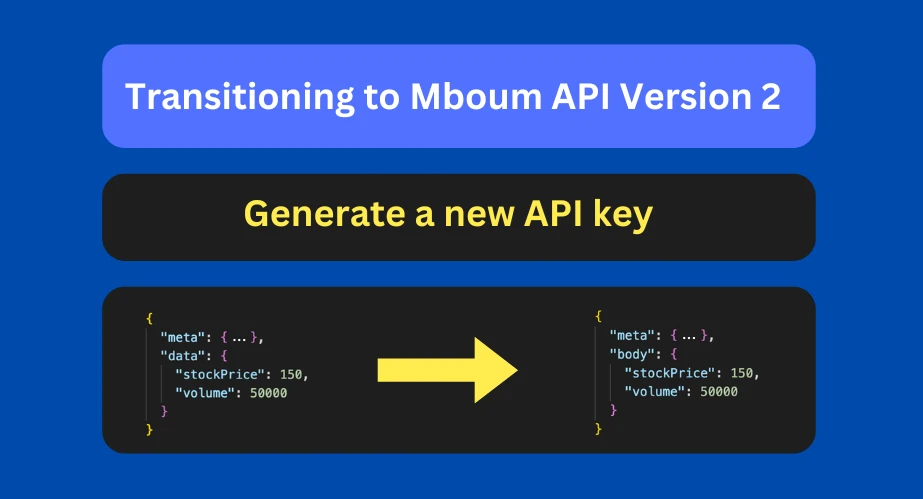
One of the core changes in Version 2 is the updated API response structure. The response now includes two main sections:metaandbody.-
Meta: This section provides general information about the request and the API response. It contains details such as status codes, error messages, and general navigation data.
-
Body (previously called data): All the actual data you're looking for—such as stock prices, market events, and technical indicators—has now been moved to the
bodysection. This change will make it easier to access the raw data you need without having to sift through other details.
-
How to Transition
Step 1: Generate a New API Key
To start using API Version 2, log in to your Mboum account and head to the API settings page. From there, you can generate your new API key. The old keys from Version 1 will no longer be valid.
Step 2: Update Your API Requests
Once you have your new API key, you’ll need to update your application to use the new key. Additionally, you'll need to adjust how you process the API response. Since the data index is now called body, ensure your code references the new structure. For example, instead of accessing data like this:
{
  "meta": { ... },
  "data": {
    "stockPrice": 150,
    "volume": 50000
  }
}
In Version 2, the data is now inside the body index:
{
  "meta": { ... },
  "body": {
    "stockPrice": 150,
    "volume": 50000
  }
}
Step 3: Handle the New Response Format
Make sure to modify your application to handle the new response format. The meta section will contain information such as:
- Status: Whether your request was successful or if there was an error.
- Pagination: In cases where data is paginated, the
metasection will provide information about the total number of pages and the current page.
The body section will contain the requested data, whether it's stock quotes, options activity, or financial summaries.
Step 4: Test Your Integration
Once you’ve made the necessary changes, test your integration thoroughly to ensure everything is working as expected. You can use our sandbox environment to simulate real requests.
Benefits of the New API Version
-
Cleaner Response Structure: With the
metaandbodysplit, it’s now easier to separate the data you care about from the general information about your request. This can help improve performance and simplify error handling. -
Improved Scalability: The new version is optimized for faster response times and can handle larger volumes of data, ensuring better performance as your application grows.
-
Better Documentation: We’ve also improved our API documentation, making it easier for you to navigate and find what you need.
We are committed to making this transition as smooth as possible. If you encounter any issues or have questions, feel free to reach out to our support team. We’ll continue to provide updates and more detailed documentation as you migrate to API Version 2.
Thank you for being a part of the Mboum community, and we look forward to seeing how you take advantage of the enhanced features and performance in the new API version!