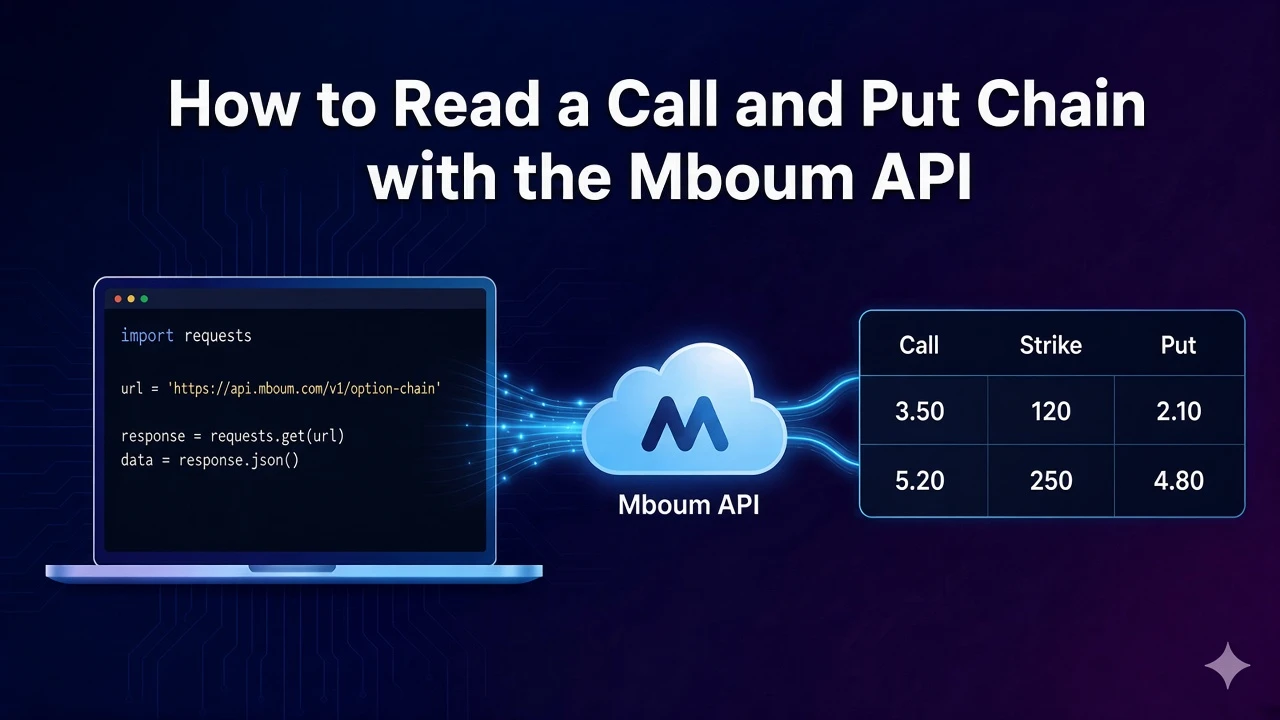
An options chain is easier to read when the call and the put for one strike sit on the same row. You can compare the call bid with the put bid without matching two lists yourself.
That is what GET /v2/markets/options returns for one ticker. The documented AAPL sample is a stock chain whose last trade is $185.85. The first real strike in that sample is 167.50, expiring Feb 9, with the call and the put quoted side by side.
To access this endpoint, you must obtain an API key: Get your API key
The Endpoint
GET /v2/markets/options returns one chain for a ticker. Each body row is either an expiry heading or a strike. A strike row carries the call quote in the c_ columns and the put quote in the p_ columns. This is a different layout from the v1 options chain, which keeps calls and puts in separate lists.
The sample below uses ticker=AAPL, type=STOCKS, and limit=50. In that response, meta.totalrecords is 48 and meta.lastTrade reads LAST TRADE: $185.85 (AS OF FEB 2, 2024).
Parameters
- ticker: The symbol whose chain you want. The sample uses
AAPL.symbolis accepted in place ofticker. Send one symbol per request. - type: The asset class. Use
STOCKS,ETF,MUTUALFUNDS, orFUTURES. The sample usesSTOCKS. - limit: How many rows to return. The documented example is
50. If you leave it off, the call returns 20 rows. A limit above 1000 is cut down to 1000. - from_date and to_date: An optional expiry window, both in
YYYY-MM-DD.to_datehas to fall afterfrom_date. Leave both off for the default near-term window. They are request dates, not the pipe-separated values inmeta.from_date.
Python Example
The script requests the AAPL stock chain and prints only rows that have a strike. Expiry headings have a null strike, so they are skipped. Each printed line is the expiry label, the strike, the call last, and the put last. Send a Bearer token from your Mboum API key.
import requests

def read_option_chain(ticker, api_key, limit=50):
    url = "https://api.mboum.com/v2/markets/options"
    headers = {"Authorization": f"Bearer {api_key}"}
    params = {"ticker": ticker, "type": "STOCKS", "limit": limit}

    response = requests.get(url, headers=headers, params=params)
    response.raise_for_status()
    payload = response.json()

    for row in payload.get("body") or []:
        if row.get("strike") is None:
            continue
        print(row.get("expiryDate"), row.get("strike"), row.get("c_Last"), row.get("p_Last"))

read_option_chain("AAPL", "YOUR_API_KEY")
Understanding the Response
A successful response has meta and body. body is a list, and the list mixes heading rows with strike rows. In the AAPL sample, the first row is the heading for February 9, 2024. The next row is the 167.50 strike. Prices, volume, and open interest on that strike are strings.
{
  "meta": {
    "totalrecords": 48,
    "lastTrade": "LAST TRADE: $185.85 (AS OF FEB 2, 2024)",
    "headers": {
      "c_Last": "Last",
      "strike": "Strike",
      "p_Last": "Last"
    },
    "from_date": [
      { "label": "February 2024", "value": "2024-02-09|2024-02-23" },
      { "label": "January 2025", "value": "2025-01-17|2025-01-17" }
    ]
  },
  "body": [
    {
      "expirygroup": "February 9, 2024",
      "expiryDate": null,
      "strike": null,
      "c_Last": null,
      "p_Last": null
    },
    {
      "expirygroup": "",
      "expiryDate": "Feb 9",
      "c_Last": "18.80",
      "c_Change": "-0.40",
      "c_Bid": "18.20",
      "c_Ask": "18.95",
      "c_Volume": "5",
      "c_Openinterest": "25",
      "c_colour": true,
      "strike": "167.50",
      "p_Last": "0.05",
      "p_Change": "-0.20",
      "p_Bid": "0.04",
      "p_Ask": "0.06",
      "p_Volume": "10870",
      "p_Openinterest": "11770",
      "p_colour": false
    }
  ]
}
The sample from_date list is longer than the two entries shown here. It is a menu of expiry windows, including an All entry whose value is all. It is not an echo of the from_date query parameter.
Key Fields
- strike and expiryDate: On a quote row,
strikeis the shared strike andexpiryDateis the short expiry label. For the first AAPL quote row those are167.50andFeb 9. A heading row sets both to null and puts the full date inexpirygroup, such asFebruary 9, 2024. - c_Last, c_Bid, and c_Ask: The call side of that strike. At 167.50 the call last is
18.80, the bid is18.20, and the ask is18.95.c_Changeis the call’s change,-0.40in the sample. These are strings. - p_Last, p_Bid, and p_Ask: The put side of the same strike. At 167.50 the put last is
0.05, the bid is0.04, and the ask is0.06.p_Changeis-0.20. Readc_andp_together. They are not two different strikes. - c_Volume, c_Openinterest, p_Volume, and p_Openinterest: Contract activity, also strings. On this strike the call traded
5contracts with open interest25. The put traded10870with open interest11770. Parse them before you compare the two sides. - totalrecords, lastTrade, and headers:
meta.totalrecordsis the chain count in the sample, 48.meta.lastTradeis the underlying’s last-trade line, not an option price.meta.headersmaps each column name to a display label, soc_Openinterestis labeledOpen Int.
Practical Use Cases
Reading one strike
Walk body and skip any row whose strike is null. Those rows only name the expiry. The next row in the sample is the contract: expiry Feb 9, strike 167.50, call last 18.80, put last 0.05. Print c_Bid with c_Ask, and p_Bid with p_Ask, when you want the market on both sides of that strike.
Narrowing the expiries
The sample’s meta.from_date list shows windows such as February 2024, with value 2024-02-09|2024-02-23. To ask for that window, send two query dates, from_date=2024-02-09 and to_date=2024-02-23. Do not send the pipe-separated string as a single parameter. to_date has to be later than from_date.
Learn more or explore other endpoints: Mboum options chain