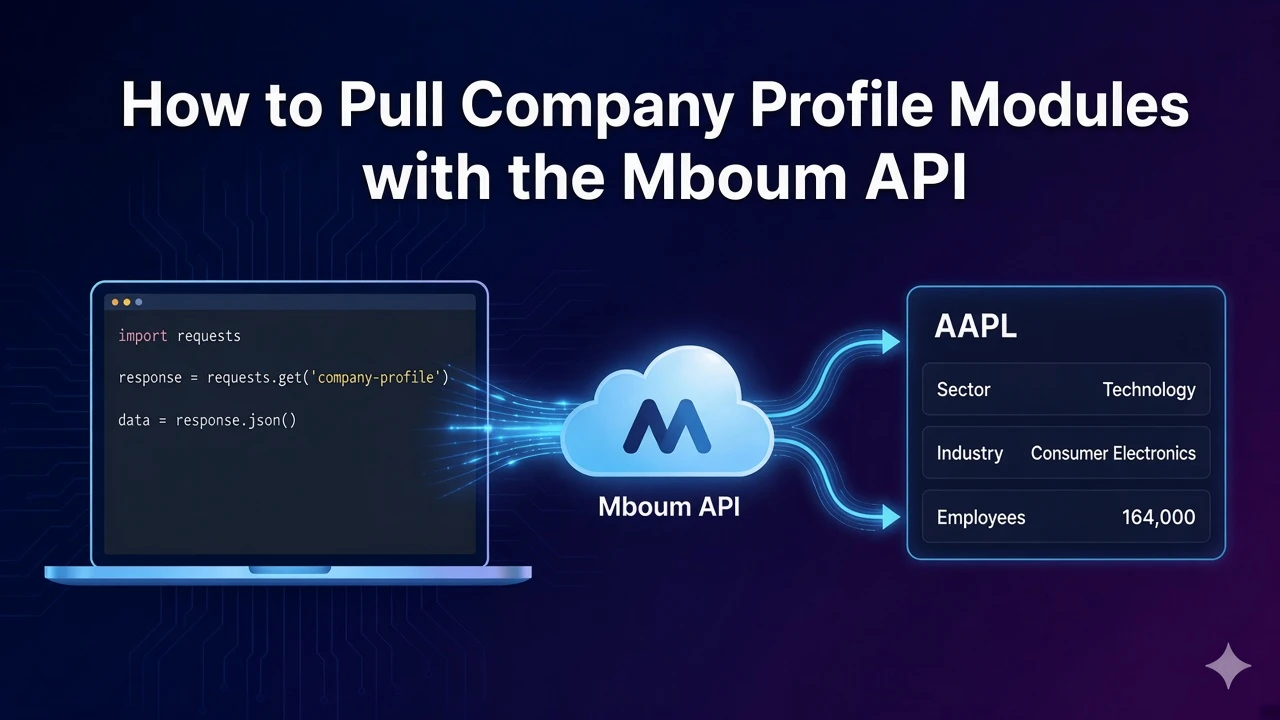
Company profile data is the foundation for ticker cards, research pages, and fundamental dashboards. Instead of scraping a company page yourself, you can request a single profile module for one ticker and receive a consistent JSON body with address, sector, summary, and officer fields.
This walkthrough focuses on module=profile only. One request returns that module for one ticker. You do not need timeframe for profile, and this call does not return every other module type in the same response.
👉 To access this endpoint, you must obtain an API key: https://mboum.com/pages/api
The Stock Modules Endpoint
Profile modules live under GET /v1/markets/stock/modules. Pass a required ticker and a required module. For this post, set module=profile.
Documentation:
https://docs.mboum.com/#stocks-options-GETapi-v1-markets-stock-modules
Request
GET https://api.mboum.com/v1/markets/stock/modules?ticker=AAPL&module=profile
Authorization: Bearer YOUR_API_KEY
Parameters
ticker— required, one ticker (exampleAAPL)module— required; this walkthrough usesprofileonly
Leave timeframe off for profile. Timeframe applies only to v2 statement modules and ratios, not to this profile call.
Choosing the Request
Send ticker=AAPL and module=profile for the first successful parse. That pairing returns the published profile body shape so you can confirm address fields, sector labels, and the long business summary before you wire a UI.
Keep the request on a single ticker and a single module. If you need another module later, change module on a separate request rather than expecting this profile response to include statements or ratios.
Do not add timeframe here. Profile ignores that parameter, and including it does not turn this call into a multi-module package.
Sample Response
Shortened example of meta plus a profile body. Values illustrate shape only:
{
  "meta": {
    "symbol": "AAPL",
    "modules": "profile"
  },
  "body": {
    "address1": "One Apple Park Way",
    "city": "Cupertino",
    "state": "CA",
    "zip": "95014",
    "country": "United States",
    "phone": "408 996 1010",
    "website": "https://www.apple.com",
    "industry": "Consumer Electronics",
    "sector": "Technology",
    "longBusinessSummary": "Apple Inc. designs, manufactures, and markets smartphones...",
    "fullTimeEmployees": 164000,
    "companyOfficers": [
      { "name": "Tim Cook", "title": "CEO" }
    ]
  }
}
Python Example
import requests

url = "https://api.mboum.com/v1/markets/stock/modules"
headers = {"Authorization": "Bearer YOUR_API_KEY"}
params = {"ticker": "AAPL", "module": "profile"}

response = requests.get(url, headers=headers, params=params)
response.raise_for_status()
payload = response.json()
print(payload.get("meta", {}))
body = payload.get("body", {})
print(body.get("sector"), body.get("industry"), body.get("fullTimeEmployees"))
officers = body.get("companyOfficers") or []
for officer in officers[:3]:
    print(officer.get("name"), officer.get("title"))
Understanding the Response
meta.symbol echoes the ticker you requested. The handler also sets meta.modules to the module slug, so a profile call shows profile there. The JSON body for profile includes fields such as:
address1,city,state,zip,countryphone,websiteindustry,sectorlongBusinessSummaryfullTimeEmployeescompanyOfficers— a list of objects withnameandtitle
Read those keys for company cards and about sections. Treat companyOfficers as name and title pairs only in this walkthrough; do not rely on compensation objects from the sample.
Walkthrough
- Call modules with
ticker=AAPLandmodule=profile, leaving timeframe off. - Confirm
meta.symbolandmeta.modules, then printsector,industry, andfullTimeEmployeesfrombody. - Loop the first few
companyOfficersentries and print eachnameandtitlefor a leadership strip.
Watch for This
One request accepts one module. Profile does not take timeframe. Do not list every other module as if this call returns them—switch module on a new request when you need a different payload.
Stay on module=profile until the address, sector, summary, and officer fields parse cleanly for your ticker. When you need another fundamentals package later, change only the module value on the same endpoint and inspect that response on its own.
👉 Get your API key and start loading profile modules: https://mboum.com/pages/api